> ## Documentation Index
> Fetch the complete documentation index at: https://docs.neuralfactory.ai/llms.txt
> Use this file to discover all available pages before exploring further.
# Citations & Sources
> Understand how Neural Factory agents cite their sources.
# Citations & Sources
When an agent answers using information from your knowledge bases, it includes numbered citations so you can verify the information and trace it back to the original documents.
## How citations work
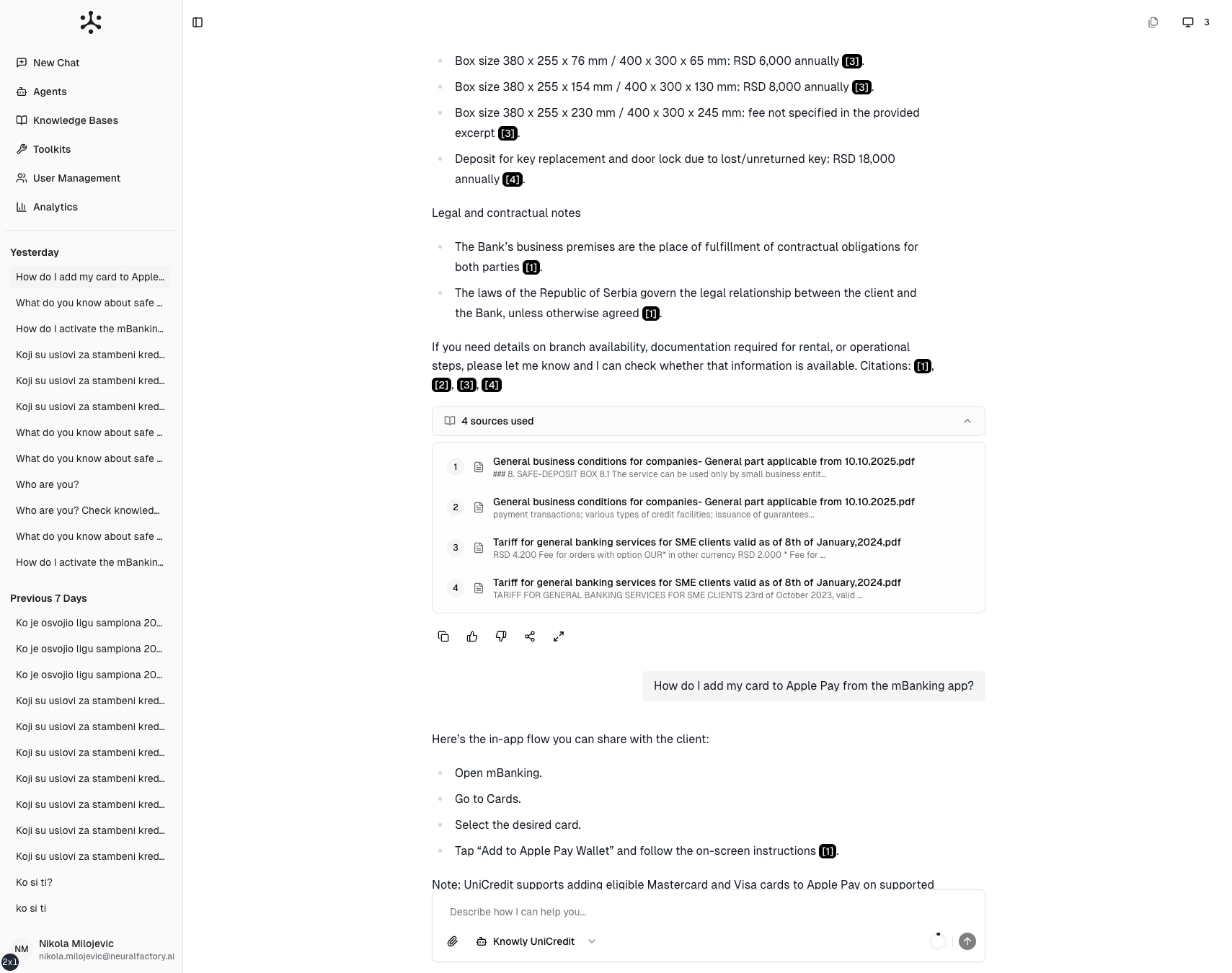
Responses include numbered references like **\[1]**, **\[2]**, **\[3]**. Each number corresponds to a specific document chunk the agent retrieved.
> Based on the Employee Handbook **\[1]**, full-time employees are entitled to 25 days of annual leave **\[2]**. Part-time employees receive a pro-rated allocation **\[1]**.
Here, citations **\[1]** and **\[2]** point to specific sections the agent used to compose its answer.
 ## Viewing sources
Below each response, expand the **"Sources used"** section to see:
* **Document name** — The source file
* **Chunk preview** — A snippet of the retrieved text
* **Source type** — File upload, SharePoint, Google Drive, etc.
## Exploring a source
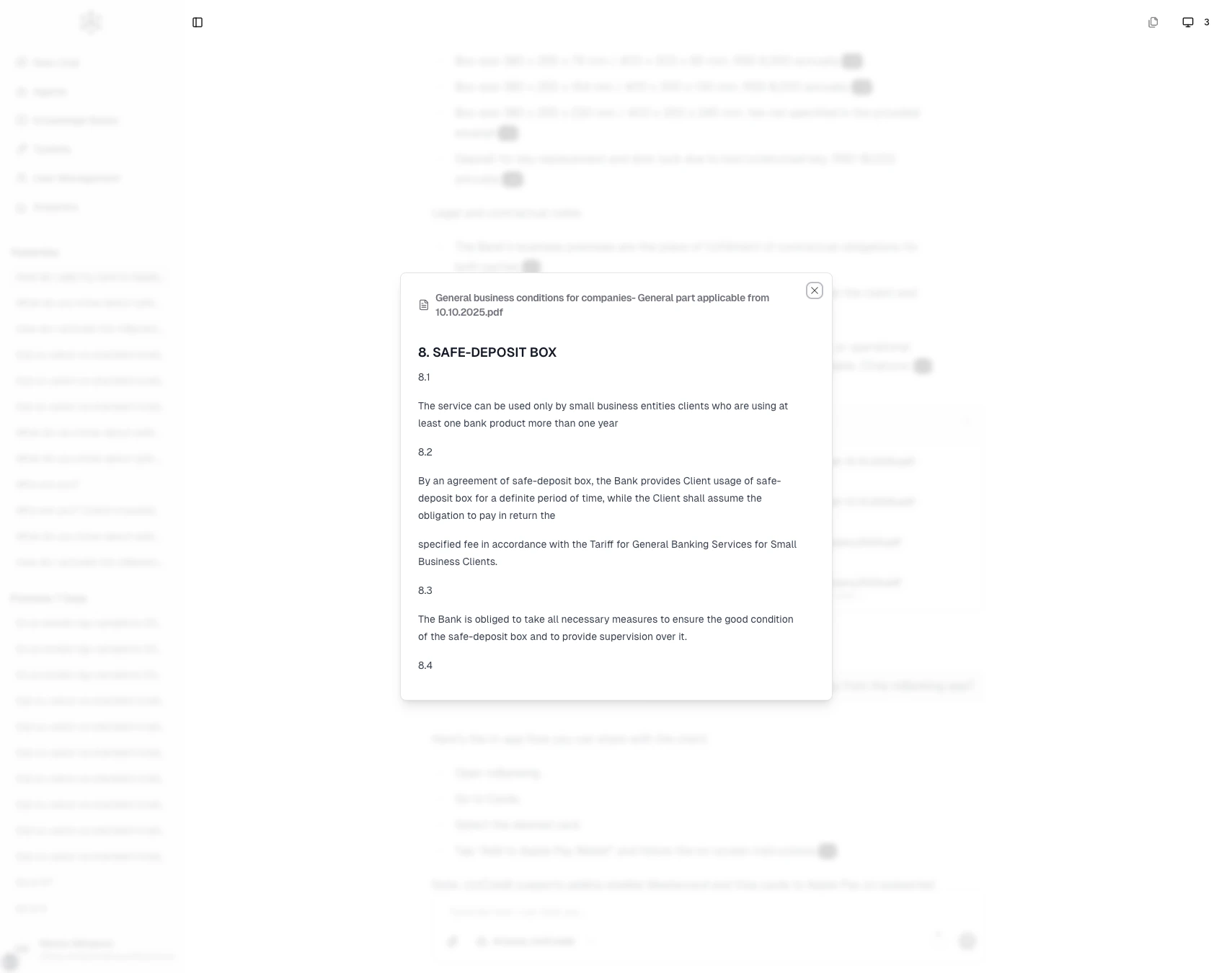
Click any citation number to open the **source viewer**. This shows the full retrieved text chunk with document metadata, letting you:
* Verify the answer against the original text
* Read surrounding context for a fuller picture
* Identify which document to consult for more detail
## Viewing sources
Below each response, expand the **"Sources used"** section to see:
* **Document name** — The source file
* **Chunk preview** — A snippet of the retrieved text
* **Source type** — File upload, SharePoint, Google Drive, etc.
## Exploring a source
Click any citation number to open the **source viewer**. This shows the full retrieved text chunk with document metadata, letting you:
* Verify the answer against the original text
* Read surrounding context for a fuller picture
* Identify which document to consult for more detail
 ## When citations appear
Citations appear only when the agent searches a knowledge base. If the agent answers from general knowledge or an external tool, there won't be citations. Their presence signals that the answer is grounded in your organization's documents.
## No citations?
If you expected citations but didn't see any:
* The agent may not have a knowledge base connected — ask your administrator
* The question may not have matched any indexed documents
* The agent may have answered from its general training data instead
## When citations appear
Citations appear only when the agent searches a knowledge base. If the agent answers from general knowledge or an external tool, there won't be citations. Their presence signals that the answer is grounded in your organization's documents.
## No citations?
If you expected citations but didn't see any:
* The agent may not have a knowledge base connected — ask your administrator
* The question may not have matched any indexed documents
* The agent may have answered from its general training data instead