> ## Documentation Index
> Fetch the complete documentation index at: https://docs.neuralfactory.ai/llms.txt
> Use this file to discover all available pages before exploring further.
# Feedback
> Rate agent responses and help improve your AI assistants.
# Feedback
Feedback on agent responses helps administrators understand performance and identify areas for improvement.
## Rating responses
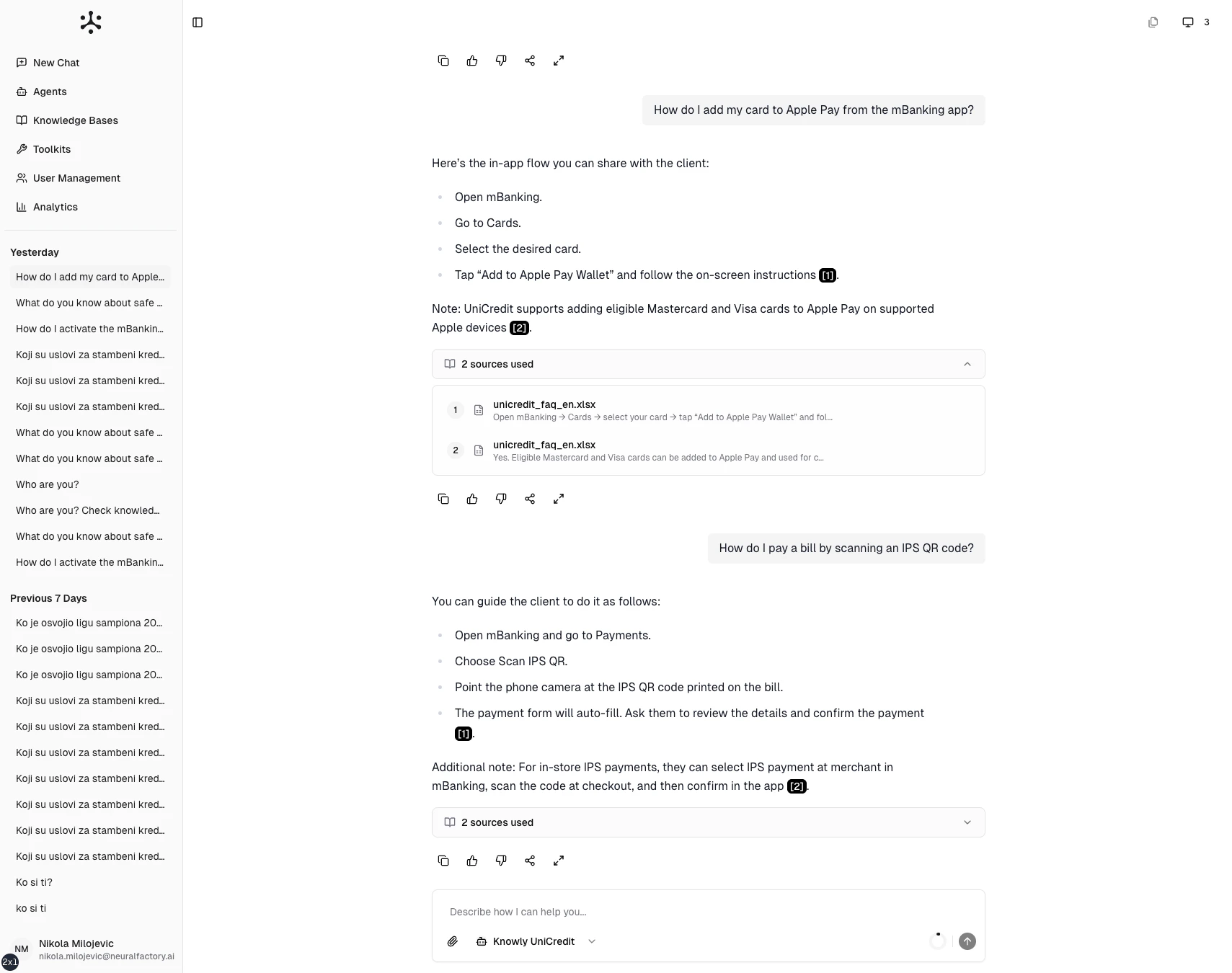
Each response includes feedback controls:
* **Thumbs up** — The response was helpful and accurate
* **Thumbs down** — The response was unhelpful or inaccurate
Click the appropriate icon to submit your rating. Feedback is recorded and visible to administrators in the [Analytics](/user-guide/admin/analytics) dashboard.
 ## Additional actions
Each response also offers:
* **Copy** — Copy the response text to your clipboard
* **Expand** — View the response in a larger panel for easier reading
## How feedback is used
Administrators review feedback trends in [Analytics](/user-guide/admin/analytics) to:
* Identify agents that consistently receive poor ratings
* Find question types where agents struggle
* Prioritize improvements to prompts, knowledge bases, or tools
Your feedback is anonymous to other members but visible to administrators in aggregate interaction logs.
## Additional actions
Each response also offers:
* **Copy** — Copy the response text to your clipboard
* **Expand** — View the response in a larger panel for easier reading
## How feedback is used
Administrators review feedback trends in [Analytics](/user-guide/admin/analytics) to:
* Identify agents that consistently receive poor ratings
* Find question types where agents struggle
* Prioritize improvements to prompts, knowledge bases, or tools
Your feedback is anonymous to other members but visible to administrators in aggregate interaction logs.