> ## Documentation Index
> Fetch the complete documentation index at: https://docs.neuralfactory.ai/llms.txt
> Use this file to discover all available pages before exploring further.
# Knowledge Bases Overview
> Understand how knowledge bases power agent responses with your organization's data.
# Knowledge Bases Overview
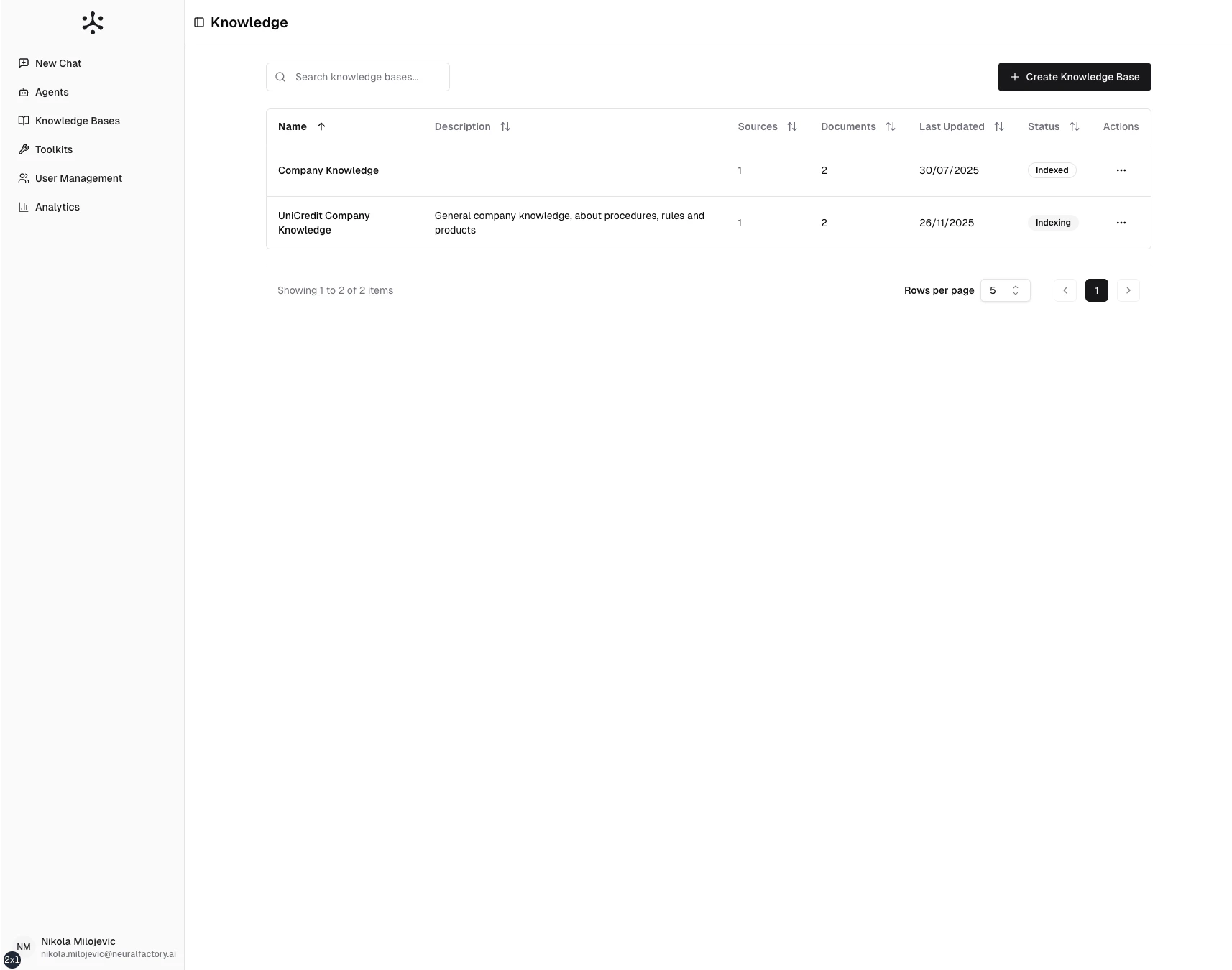
Knowledge bases are collections of your organization's documents that agents search to provide grounded, cited answers. Instead of relying on general AI knowledge alone, agents retrieve specific information from your documents.
 ## How knowledge bases work
1. **Ingest** — Upload documents or connect data sources (SharePoint, Google Drive, etc.)
2. **Process** — Documents are split into chunks, embedded, and indexed in a vector store
3. **Search** — When a user asks a question, the agent searches using hybrid retrieval (keyword + semantic)
4. **Retrieve** — The most relevant chunks are returned to the agent
5. **Respond** — The agent generates an answer with citations back to the source documents
This is called **Retrieval-Augmented Generation (RAG)** — combining AI language models with the accuracy of your actual documents.
## Supported source types
| Source type | Description |
| ---------------- | -------------------------------------------------- |
| **File uploads** | PDF, DOCX, XLSX, TXT, PPTX files uploaded directly |
| **SharePoint** | Connected SharePoint document libraries and sites |
| **Google Drive** | Connected Google Drive folders |
| **FAQ** | Structured question-answer pairs |
## Key concepts
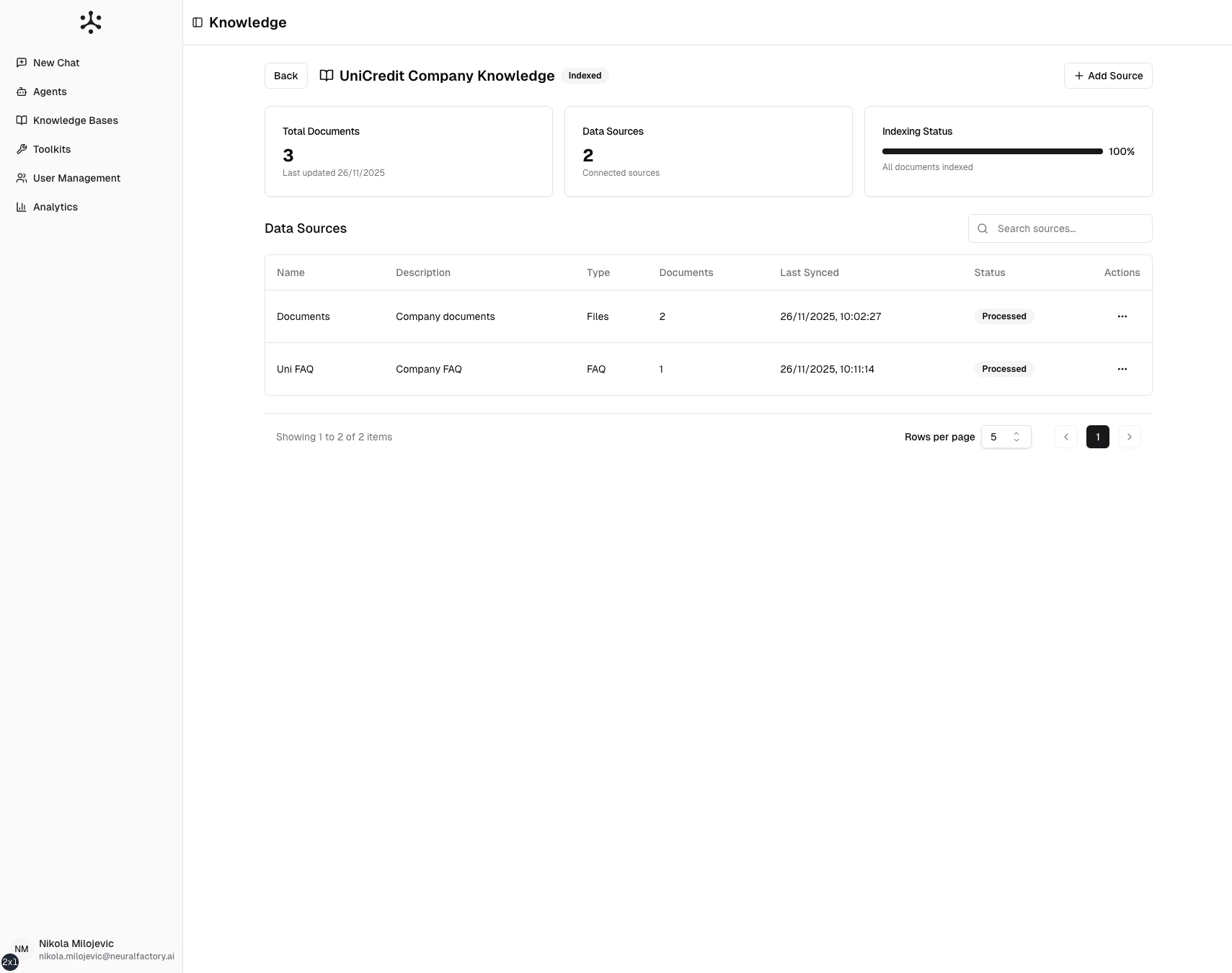
* **Datasources** — Connections to external data (SharePoint, Google Drive) or upload containers within a knowledge base
* **Documents** — Individual files or entries within a datasource
* **Chunks** — Processed segments of documents stored in the vector index
* **Indexing** — The background process of converting documents into searchable chunks
## How knowledge bases work
1. **Ingest** — Upload documents or connect data sources (SharePoint, Google Drive, etc.)
2. **Process** — Documents are split into chunks, embedded, and indexed in a vector store
3. **Search** — When a user asks a question, the agent searches using hybrid retrieval (keyword + semantic)
4. **Retrieve** — The most relevant chunks are returned to the agent
5. **Respond** — The agent generates an answer with citations back to the source documents
This is called **Retrieval-Augmented Generation (RAG)** — combining AI language models with the accuracy of your actual documents.
## Supported source types
| Source type | Description |
| ---------------- | -------------------------------------------------- |
| **File uploads** | PDF, DOCX, XLSX, TXT, PPTX files uploaded directly |
| **SharePoint** | Connected SharePoint document libraries and sites |
| **Google Drive** | Connected Google Drive folders |
| **FAQ** | Structured question-answer pairs |
## Key concepts
* **Datasources** — Connections to external data (SharePoint, Google Drive) or upload containers within a knowledge base
* **Documents** — Individual files or entries within a datasource
* **Chunks** — Processed segments of documents stored in the vector index
* **Indexing** — The background process of converting documents into searchable chunks
 ## Getting started
* [Creating a Knowledge Base](/user-guide/knowledge-bases/creating-a-knowledge-base)
* [File Uploads](/user-guide/knowledge-bases/file-uploads)
* [SharePoint Integration](/user-guide/knowledge-bases/sharepoint)
* [Google Drive Integration](/user-guide/knowledge-bases/google-drive)
* [Managing Documents](/user-guide/knowledge-bases/managing-documents)
## Getting started
* [Creating a Knowledge Base](/user-guide/knowledge-bases/creating-a-knowledge-base)
* [File Uploads](/user-guide/knowledge-bases/file-uploads)
* [SharePoint Integration](/user-guide/knowledge-bases/sharepoint)
* [Google Drive Integration](/user-guide/knowledge-bases/google-drive)
* [Managing Documents](/user-guide/knowledge-bases/managing-documents)