

Time: about 10 minutes · Role: on Enterprise, an Admin; on SaaS, an Admin or a Member on Pro or Business · Works on: Enterprise and SaaS (not the SaaS Free plan) · You need: a published agent,
curl and jq, or Python 3 with the requests packageWhat you will have at the end
- An API key with the Chat permission.
- A token made from it.
- A finished run whose answer you read from the API.
1. Create an API key
1
Open API keys
In the web app, open Integrations › API keys in the sidebar and select Create API Key.
2
Fill in the form
Enter a Name such as 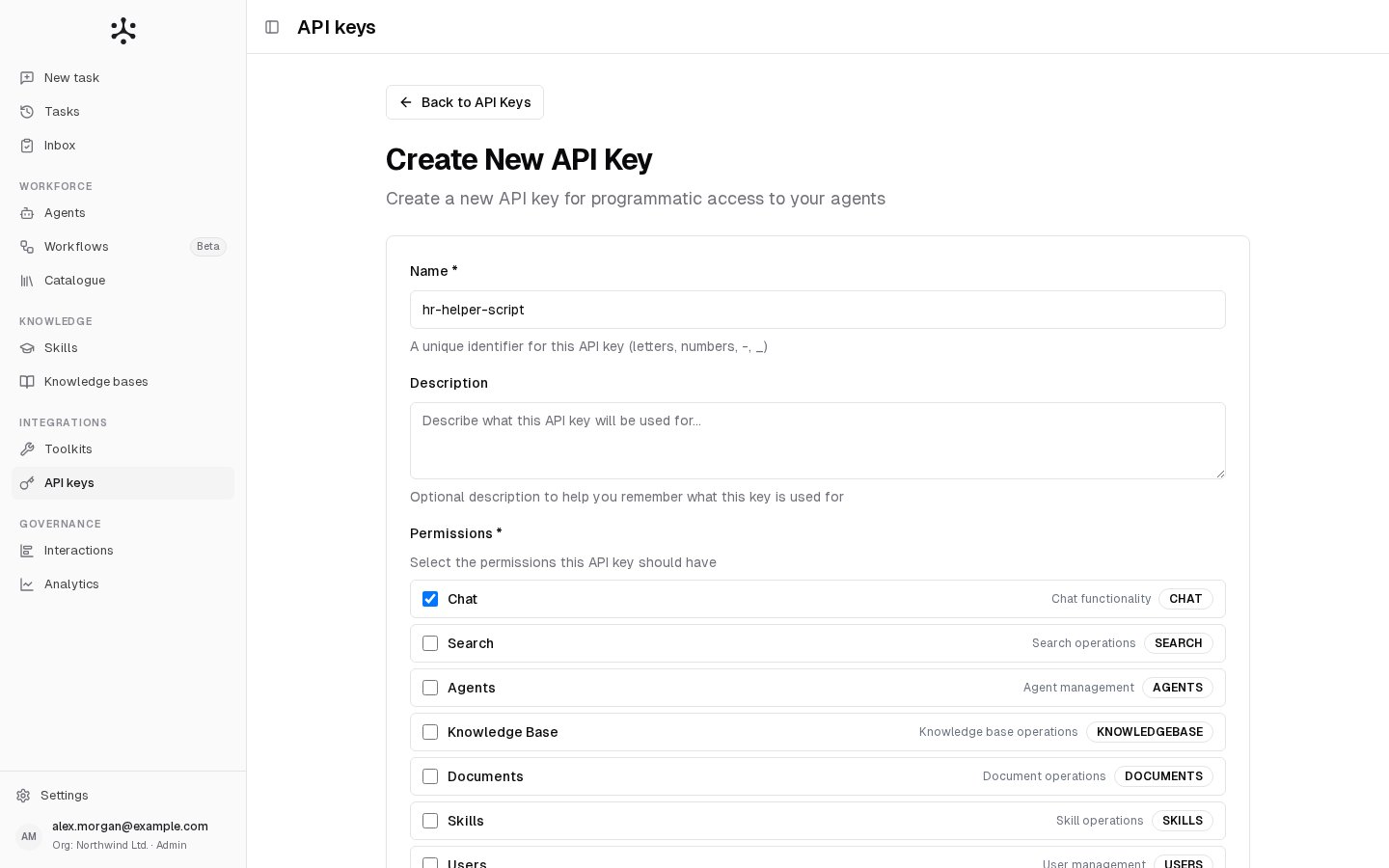
hr-helper-script. Under Permissions, keep Chat ticked (it is ticked for a new key): it opens POST /chat and the run endpoints. Select Create.3
Copy the secret
The Copy your secret key now dialog shows the secret once. Copy it, then select I have saved the key. Keep the secret out of version control and out of code that runs in a browser.
/agents/<agent-id>.
You have the secret and an agent id in your shell.
2. Get a token
Exchange the secret for a token. The token is valid for 24 hours; after that, exchange the secret again.$NF_TOKEN (or token) holds a long string. A 401 here means the secret is wrong or the key is inactive.3. Start a run
Send the message toPOST /chat as form fields. With wait=false the call returns at once with a 202 and a run handle, and the agent works in the background.
You have a
run_id. Keep the chat_id too: sending it with your next message continues the same conversation.4. Read the result
PollGET /runs/{run_id} until status is no longer queued or running. When it is completed, the agent’s answer text is in result.result, and result.documents lists the sources it used, when it used any.
The answer prints. The run also appears in Interactions in the web app, under the key’s name.
awaiting_input means the agent is waiting for a person, for example with a question. Answer it by sending your reply to POST /chat with the same chat_id. See Pauses for a person.
If something goes wrong
More codes and messages are on Errors.
Where to go next
- Runs and results: wait for the answer in one call, retry safely, cancel.
- Streaming: show the run’s progress as it works.
- Webhooks: get the result pushed to your server instead of polling.