

Who: Admins and Members (Enterprise Viewers do not see it) · Where: Settings › Usage, under Billing & usage · Works on: Enterprise and SaaS
Check what you have left
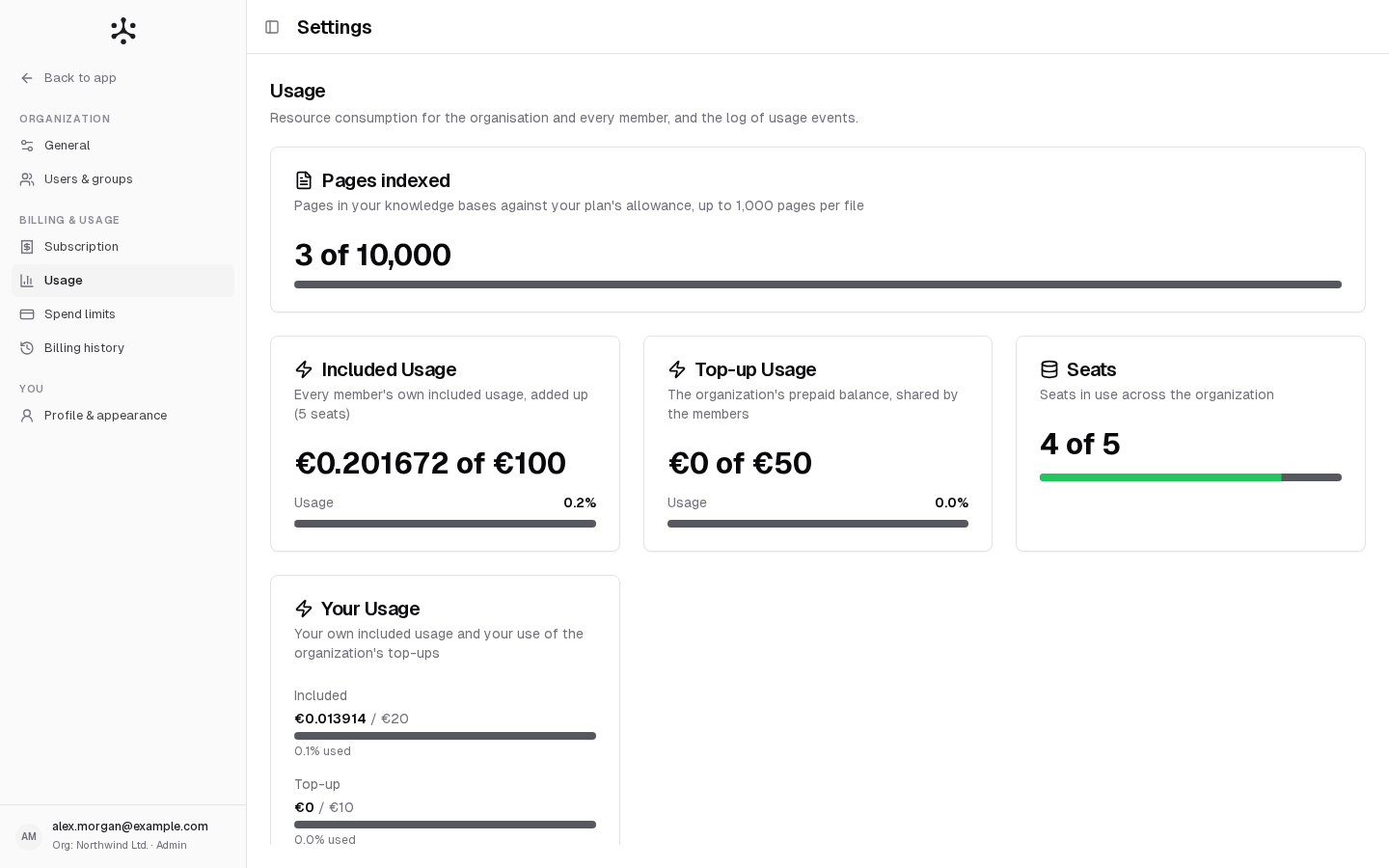
The cards at the top of the page depend on your account. On SaaS, a Pages indexed card comes first: the pages in your knowledge bases against your plan’s allowance, and the pages-per-file limit.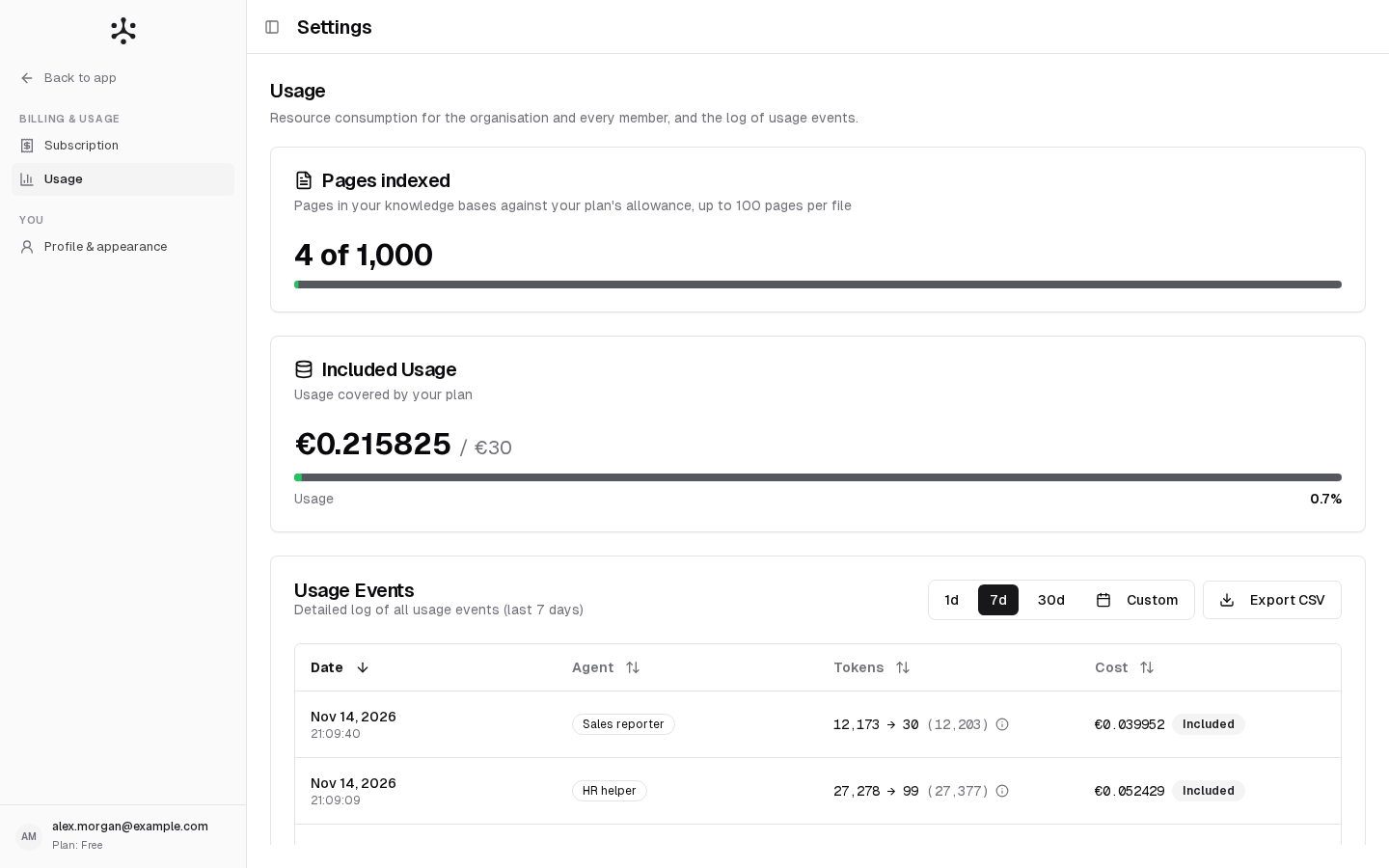
On a Business organization, each member’s included usage is their own: what one member uses does not reduce anyone else’s. See Included usage and top-ups.
See who used what (Admins)
Usage by User has one row per person. Search it by name or email.- SaaS: Included Usage and Top-up Usage for each member of the organization. The top-up column shows the member’s top-up limit when they have one.
- Enterprise: Usage, against the person’s limit.
Look at each charge
Usage Events lists every charge, newest first. That includes each agent turn and workflow run, and each charge that is not a run, such as Document ingested: file name, Knowledge base search, Agent builder, Workflow builder, Skill builder chat and File read: file names.
The badges on SaaS are Included, Top-up and Not charged. A charge paid partly from each source shows both. Not charged marks a run that failed for a platform reason.
- Enterprise: costs are at provider cost.
- SaaS: costs include the platform margin.
1
Pick the period
Click 1d (today), 7d, 30d or Custom. Days are counted in UTC.
2
Search, if you are an Admin
Type an email in the search box to see one person’s events.
3
Export
Click Export CSV to download the events of the period and search shown: the date, the user (Admins only), the agent, the tokens and the cost.
Less common cases
Contract or demo accounts (SaaS)
Contract or demo accounts (SaaS)
The cards say On-demand Usage and On-demand limit in place of top-ups. The Admin’s Included Usage card shows the organization’s budget, shared by its members. A Member’s card shows what they used of the organization’s budget, or of their own budget limit when an Admin set one. See Contracts and demos.
What is charged, and when
What is charged, and when
For what counts toward usage and which runs are not charged, see What counts toward usage.
Related
- Plans and limits
- Spend limits: limits and top-ups
- Billing history: past months and invoices
- Analytics