

Citations & Sources
When an agent answers using information from your knowledge bases, it includes numbered citations so you can verify the information and trace it back to the original documents.How citations work
Responses include numbered references like [1], [2], [3]. Each number corresponds to a specific document chunk the agent retrieved.Based on the Employee Handbook [1], full-time employees are entitled to 25 days of annual leave [2]. Part-time employees receive a pro-rated allocation [1].Here, citations [1] and [2] point to specific sections the agent used to compose its answer.
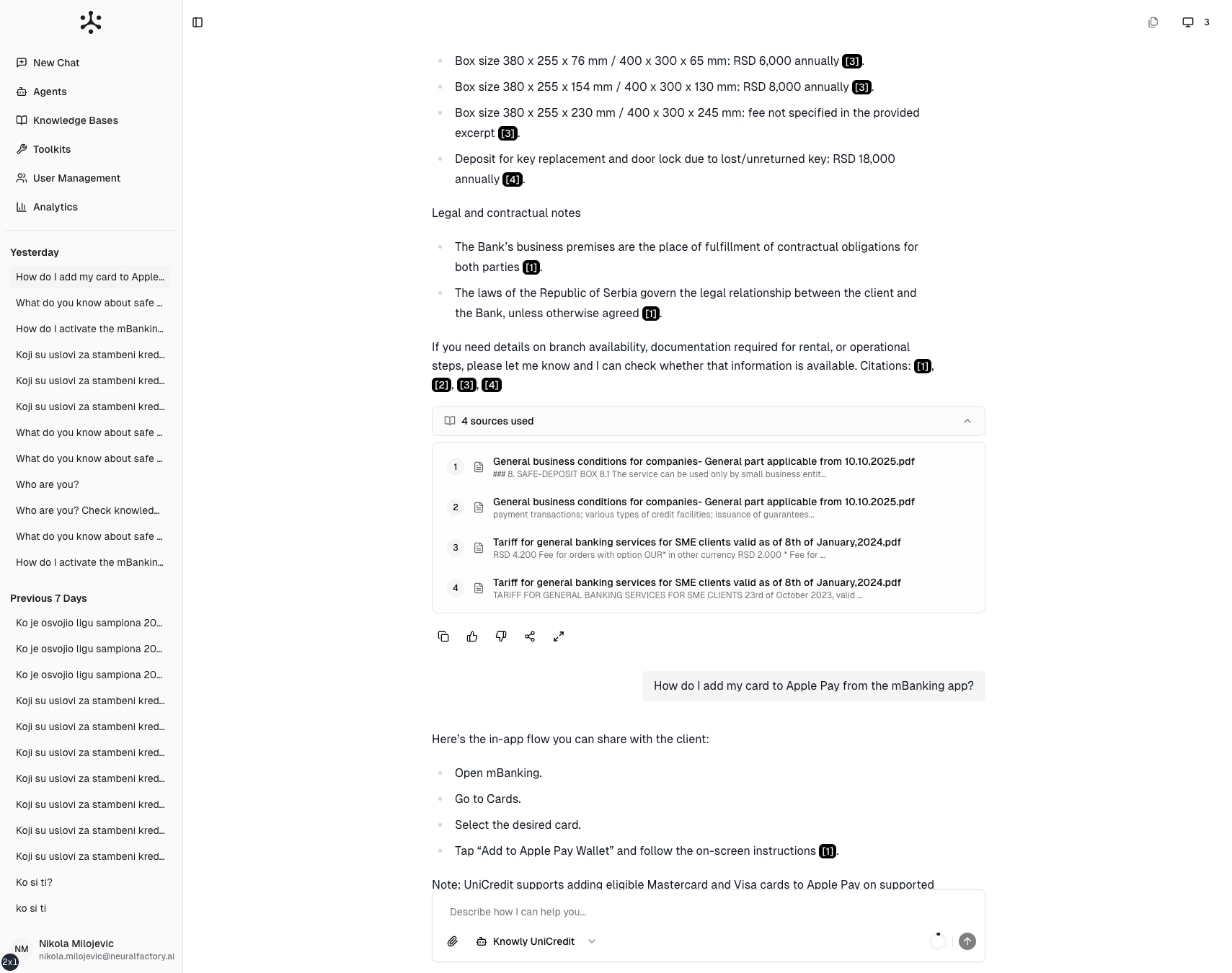
A response with numbered citations linking to source documents.
Viewing sources
Below each response, expand the “Sources used” section to see:- Document name — The source file
- Chunk preview — A snippet of the retrieved text
- Source type — File upload, SharePoint, Google Drive, etc.
Exploring a source
Click any citation number to open the source viewer. This shows the full retrieved text chunk with document metadata, letting you:- Verify the answer against the original text
- Read surrounding context for a fuller picture
- Identify which document to consult for more detail
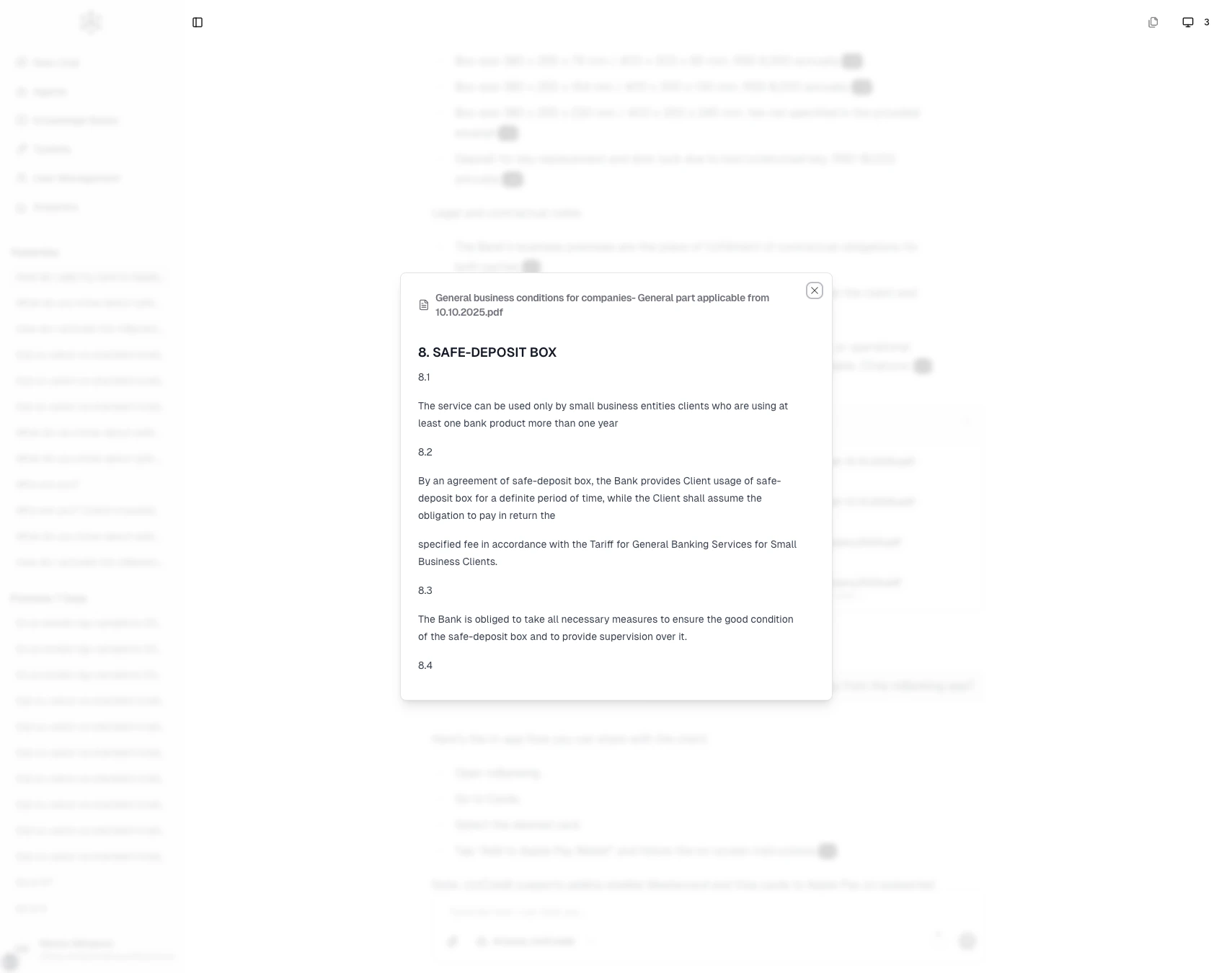
The source viewer shows the exact text chunk used by the agent.
When citations appear
Citations appear only when the agent searches a knowledge base. If the agent answers from general knowledge or an external tool, there won’t be citations. Their presence signals that the answer is grounded in your organization’s documents.No citations?
If you expected citations but didn’t see any:- The agent may not have a knowledge base connected — ask your administrator
- The question may not have matched any indexed documents
- The agent may have answered from its general training data instead