

Analytics
The Analytics section gives administrators visibility into platform usage — conversations, agent performance, and usage patterns.Interactions log
The interactions log records all conversations:- User — Who initiated the conversation
- Agent — Which agent was used
- Timestamp — When the conversation happened
- Message count — Number of messages
- Feedback — User ratings (thumbs up/down)
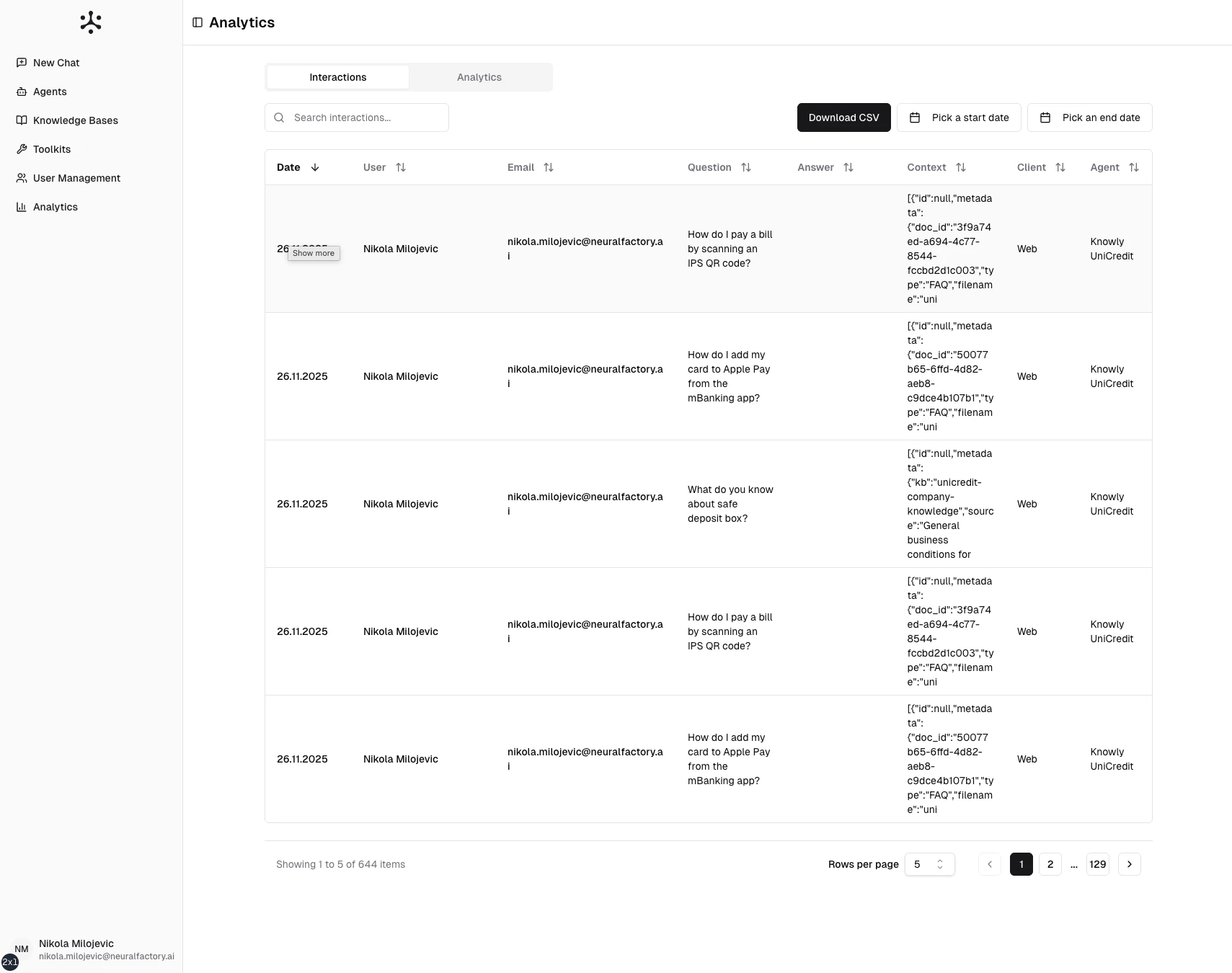
The interactions log — a searchable record of all conversations.
Filtering interactions
Use filters to narrow the log:- Date range — View interactions from a specific time period
- Agent — Filter by specific agent
- User — Filter by specific user
- Feedback — Show only positively or negatively rated interactions
Usage charts
Visual dashboards showing platform usage trends:- Conversations over time — Daily/weekly/monthly conversation volume
- Messages per conversation — Average conversation length
- Agent usage distribution — Which agents are used most
- Active users — Unique users per time period
- Token usage — AI model token consumption over time
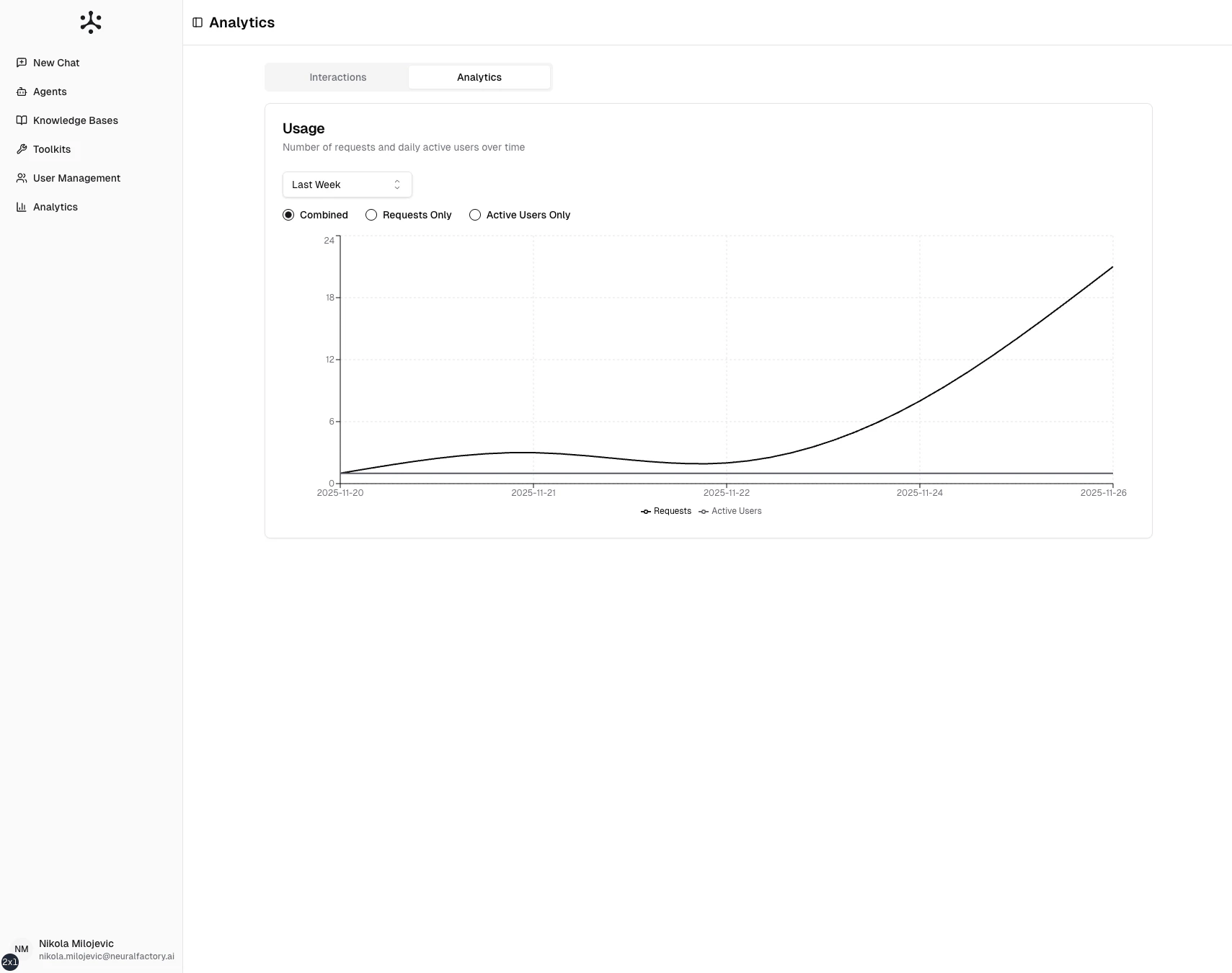
Usage charts showing conversation volume and active users over time.
Using analytics to improve
- Identify popular agents and those that need attention
- Find low-rated interactions to diagnose configuration issues
- Track adoption as you roll out new agents or knowledge bases
- Monitor costs through token usage trends
- Justify investment with usage data showing platform value