

Who: Admins and Members (Viewers do not see Skills) · Where: Knowledge › Skills in the sidebar · Works on: Enterprise and SaaS
- An “invoice-check” skill lists what your finance team checks on a supplier invoice: the purchase order number, the VAT rate, the bank details against the supplier record. Ask the agent to check an invoice and it goes through that list.
- A “client-proposal” skill holds your proposal template as a Word file and the rules for filling it in. Ask for a proposal for a new client and the agent starts from your template.
What a skill is made of
Every skill has a file called SKILL.md with the instructions, written in Markdown (plain text with simple marks for headings and lists). It starts with a short header that gives the skill a name and a description. A skill can also hold extra files: examples, reference notes, scripts, or Word (.docx) and Excel (.xlsx) templates.
The agent reads the name and description to decide whether a request needs the skill, so write the description with care. Creating a skill has the rules and an example.
The skills list
The list shows every skill you have access to. Type in Search skills… to filter it, and point at a title to read the skill’s description.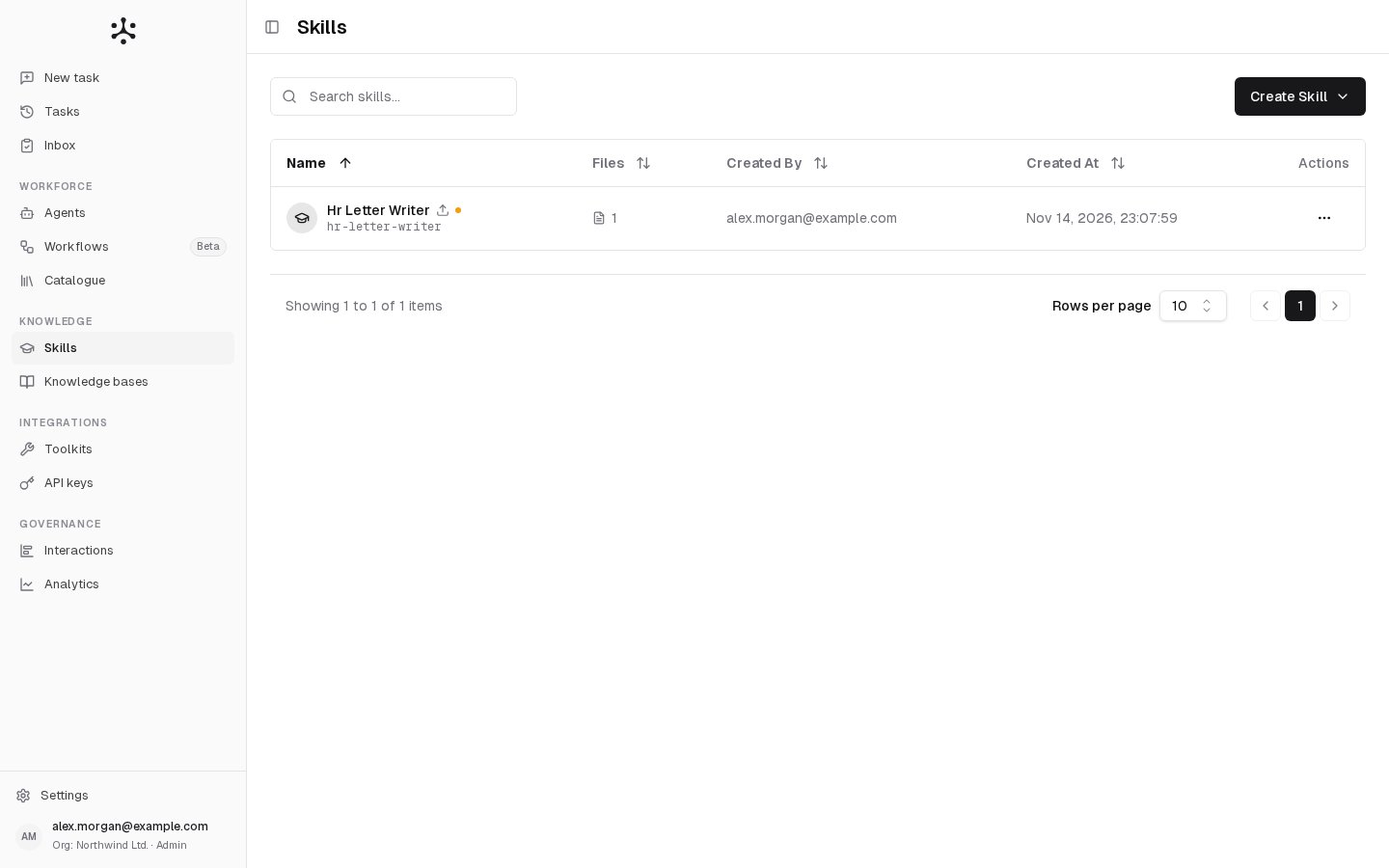
Small marks next to the title tell you more:
Click a skill to open it. Its creator and Admins open the editor. Everyone else gets a read-only view.
The menu at the end of each row offers:
- Edit (creator and Admins) or View (everyone else).
- Export: downloads the skill and its files as a
.zip. - Duplicate: makes a private, unpublished copy that belongs to you. See Start from a copy.
- Delete (creator and Admins). Deleting a skill also removes it from every agent that uses it. When agents use it, the confirmation says how many.
Built-in skills (Enterprise)
This section applies to Enterprise only. SaaS personal accounts and Business organizations start with no skills.
- Fill Docx fills in a Word template, replacing placeholders and table cells while keeping the template’s styles and layout.
- Fill Pdf fills in a PDF form.
Who can do what
Viewers benefit from skills only through the agents they use. Admins have access to every skill in their organization.
- Enterprise: skills belong to the organization, so you can share a skill with users and groups.
- SaaS: in a Business organization, skills are shared as in an Enterprise organization. In a personal account, your skills are your own: there is no Access setting and no Created By column.
Sharing a skill
Sharing works like it does for a knowledge base. Set it when you create the skill, or later with the Access button in the editor. You have two choices:- Private, the default: only you and the users and groups you add under Grant Access to Users and Grant Access to Groups.
- Public: all organization members.
Versions
You always edit a skill’s draft. Publishing turns the draft into a numbered version that cannot change afterwards, so you can keep working without affecting the agents that use the skill.- A skill that was never published shows Draft in the editor, and agents use that draft.
- Once you publish, agents use the active version and keep using it while you edit the draft.
- History lists the published versions. Activate makes an older one active again, which is how you roll back.
Related
- Creating a skill: write a skill with NF, upload one or copy one.
- Using skills: attach a skill to an agent and keep it up to date.
- Configuring agents: where an agent’s skills are set.
- Knowledge bases: documents agents search for answers.