

Who: everyone; your role decides which entries you see · Where: the sidebar on the left of every page · Works on: Enterprise and SaaS
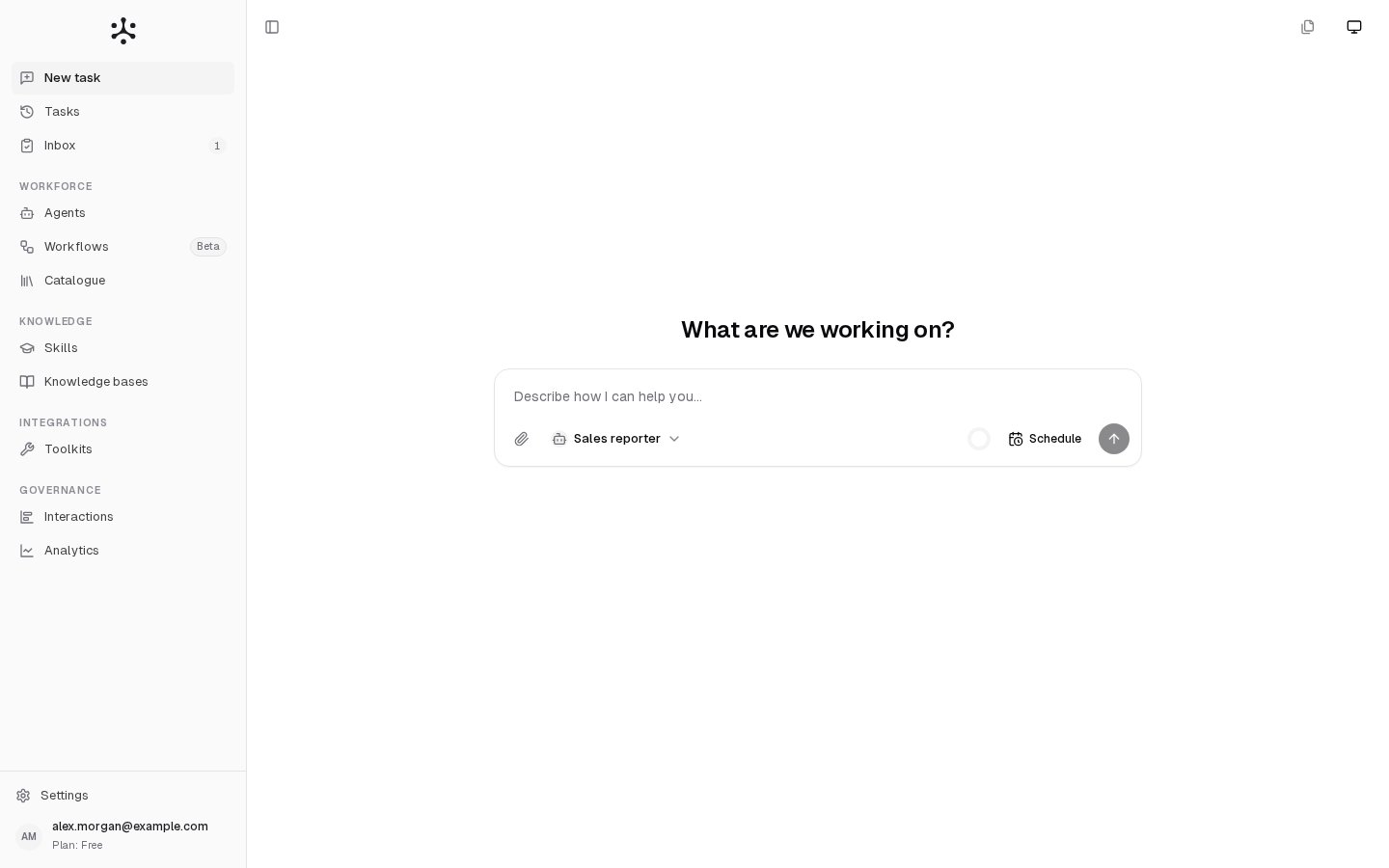
Your work
The first three entries have no group heading. They are where you start work and follow it.Workforce
The agents and workflows that do the work.Knowledge
What agents know and how they handle a kind of work.Integrations
Connections between Neural Factory and other software.
Who sees API keys:
- Enterprise: Admins only.
- SaaS: Admins and Members, on every plan except Free.
Governance
A record of what agents did and what it cost.Settings
Settings sits at the bottom of the sidebar, above your account. Clicking it swaps the sidebar for the settings pages, with Back to app at the top to return to the page you came from. The settings pages come in three groups.
A personal SaaS account has no organization to manage, so it shows no General or Users & groups. Its settings open on Subscription. An Admin of an organization starts on General, and everyone else on Profile & appearance. Plans and limits explains what each plan includes.
Your user card
The card at the very bottom of the sidebar shows your email. Under it you see your organization and your role, or your plan if you have a personal SaaS account. Click it to open a menu with:- Profile & appearance.
- Leave organization (SaaS, when you belong to an organization) and Delete account (SaaS). See Signing in and accounts.
- Log out.
Related
- Quickstart: send your first task.
- Users and roles: what each role may do.
- Enterprise and SaaS: how the two deployment types differ.